

Set the strategies on an account
1
Open the account
From the Accounts screen, open the account you want to update.
2
Expand the Fulfilment panel
Scroll to the Fulfilment panel and expand it. It has a Standard section and a Tote section, so you can set different strategies for standard and tote picking.
3
Choose a Dispatch Strategy
Select a Dispatch Strategy for each pick type. See Dispatch strategies below.
4
Choose a Shipment Strategy
If you chose Shipment or Auto Shipment, select a Shipment Strategy: Auto or Manual. The field is disabled for every other dispatch strategy. See Shipment strategies below.
5
Check the Fulfilment Flow and save
The Fulfilment Flow below the fields updates as you choose, showing each step the order goes through and whether it happens automatically or manually. Check it matches what you expect, then click Save.
Dispatch strategies
Shipment and Auto Shipment need a Pack Strategy (Pack by Line or Pack by Unit), because packing is what builds the shipment’s packages. See Prerequisites for shipments.
Shipment strategies
The Shipment Strategy applies only to the Shipment and Auto Shipment dispatch strategies. It decides who submits the shipment to the carrier after packing.How the two work together
The dispatch strategy controls the dispatch tasks; the shipment strategy controls the shipment. Combining them gives four options:
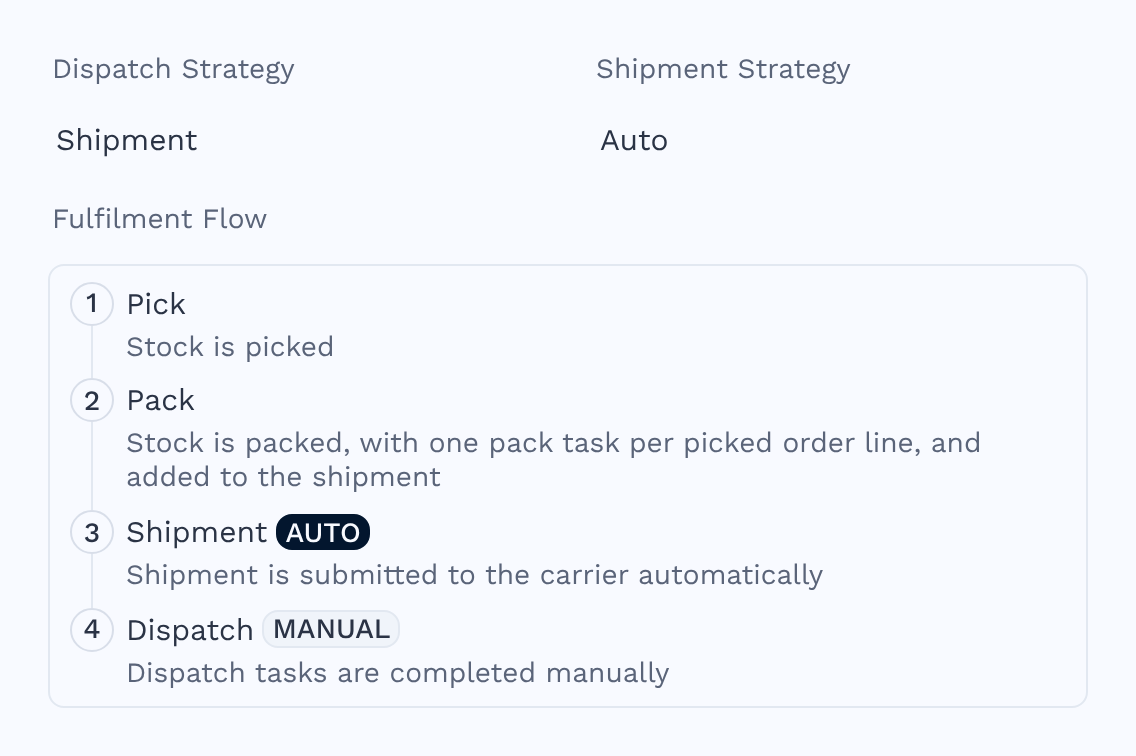
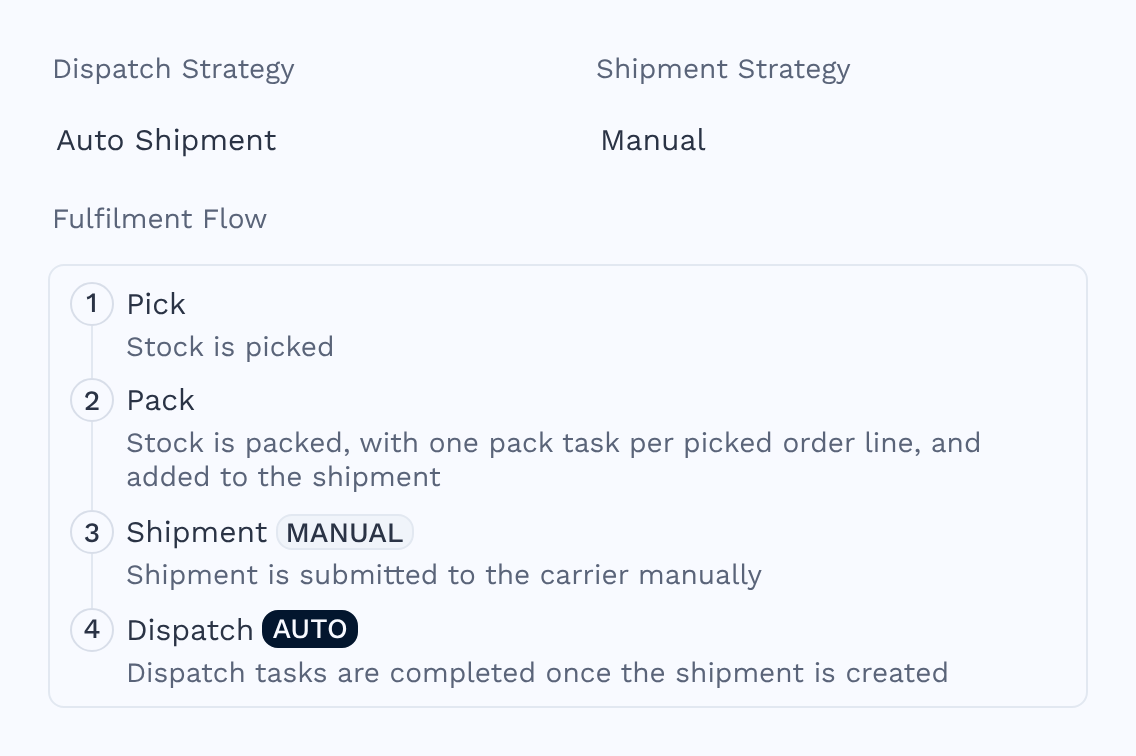
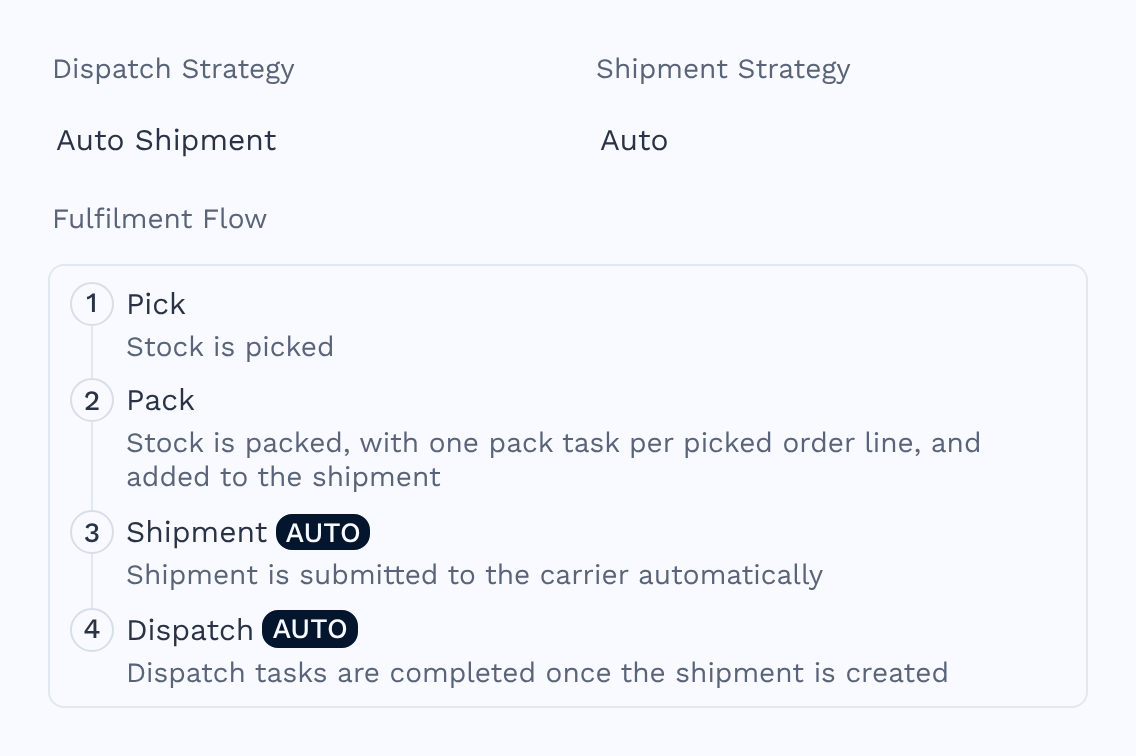
The Fulfilment Flow shows the selected combination as numbered steps, with an Auto or Manual badge on the Shipment and Dispatch steps:
- Shipment + Manual
- Shipment + Auto
- Auto Shipment + Manual
- Auto Shipment + Auto
You submit the shipment and complete the dispatch tasks yourself.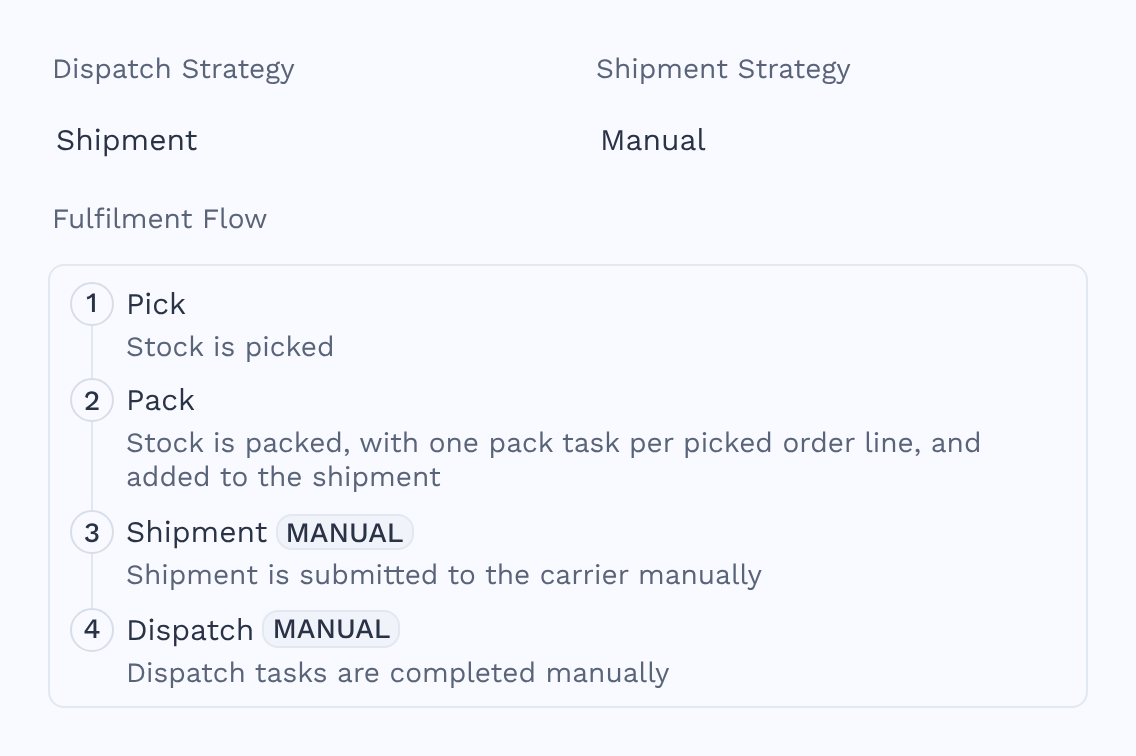
Choosing a combination
- You pack at the packing desk — use Auto Shipment with Manual. Clicking Close Package and Print Labels submits the shipment, and the dispatch tasks complete themselves once the carrier creates it. You no longer need to click Complete All Dispatch Tasks for every order.
- Your orders are mostly single-line — use Auto Shipment with Auto to remove every manual step after packing.
- You want to check orders before they leave — use Shipment with Manual, so you control both the shipment and the dispatch.
Dispatch tasks complete automatically when the shipment reaches Created, which is when the carrier confirms it. While a shipment is still Submitting, its dispatch tasks stay open.
Set the strategies on a sales order
A sales order takes its strategies from the account when it is created. To change them, open the sales order and use the Fulfilment section, which shows the same Dispatch Strategy, Shipment Strategy and Pack Strategy fields alongside the Default Fulfilment Flow. The sales order values are the defaults for new order lines. Each order line keeps its own dispatch and shipment strategy, which you can change in the order lines grid. Where a line differs from the order, the line’s strategy is the one that applies. When you change the Dispatch Strategy, the Shipment Strategy resets to match:- Shipment sets the shipment strategy to Manual.
- Auto Shipment sets it to Auto.
Additional options
The Options section of the Fulfilment panel also holds:- Pack Strategy — whether orders are packed, and whether by line or by unit.
- Dispatch By Output Quantity — controls how many dispatch tasks are created for assembled (Assemble on Pick) kits.
- Dispatch Note Footer Notes — custom text added to the bottom of every generated dispatch note.
Will my existing setup change?
Will my existing setup change?
No. Accounts and sales orders that already use Shipment behave as Shipment with Manual, and those that use Auto Shipment behave as Auto Shipment with Auto, which is how they worked before the shipment strategy existed.
What is the difference between Load and Shipment?
What is the difference between Load and Shipment?
Both group stock before it leaves. Load groups orders onto a vehicle for bulk handling. Shipment books one order’s packages with a carrier, which suits parcel deliveries.
Can I undo an automatically completed dispatch task?
Can I undo an automatically completed dispatch task?
Yes. Uncompleting a dispatch task works the same way whether it was completed automatically or manually. Automations also trigger as normal.