> ## Documentation Index
> Fetch the complete documentation index at: https://documentation.claruswms.com/llms.txt
> Use this file to discover all available pages before exploring further.
# Serial Number Tracking
> How to enable and use serial number tracking to manage, trace, and control serial numbers across products during goods in and goods out.
## Serial number tracking overview
Serial number tracking lets you manage, trace, and control serial numbers across your products. You can capture serial numbers during goods in (receiving) and goods out (picking/dispatch), giving you full traceability from receipt to shipment.
## Getting started
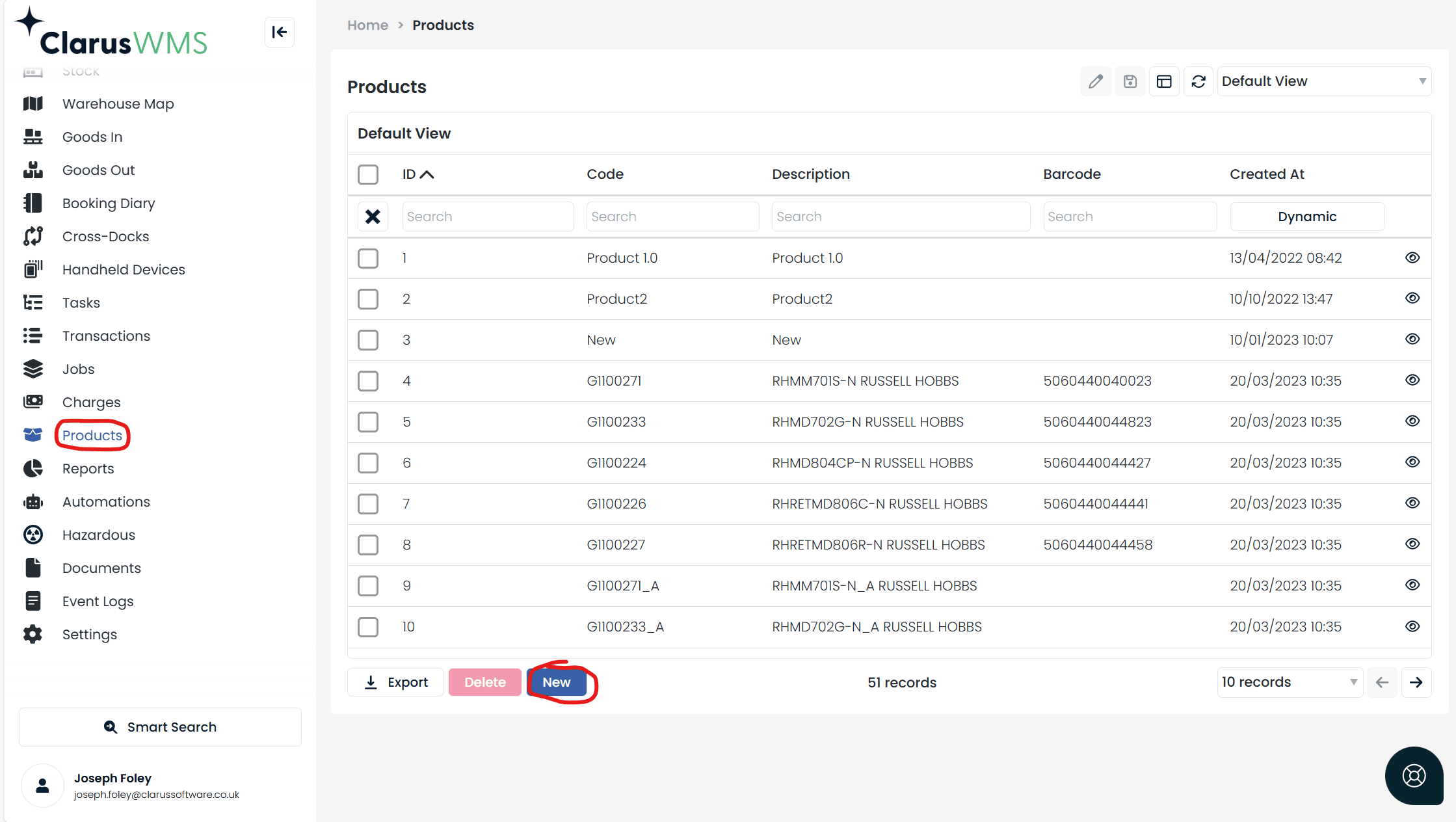
Navigate to **Products** and select **New** to create a product.
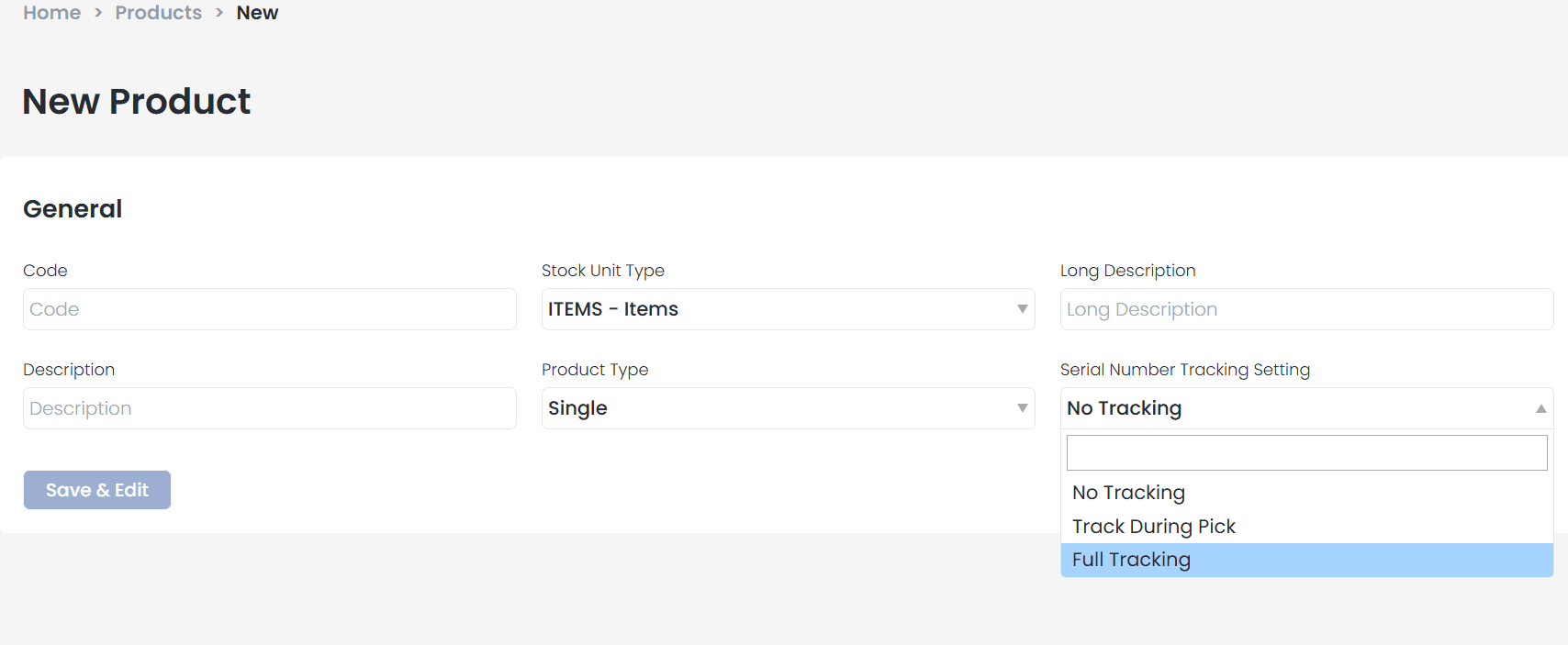
 In the setup screen, you will find the **Serial Number Tracking Setting** field. Choose one of three tracking types:
* **No Tracking** -- Serial numbers are not required at any stage.
* **Track During Pick** -- Serial numbers are required only during goods-out processing. Ideal for high-value items like electronics.
* **Full Tracking** -- Serial numbers are required at both goods-in and goods-out stages. Ideal when full supplier visibility is needed.
In the setup screen, you will find the **Serial Number Tracking Setting** field. Choose one of three tracking types:
* **No Tracking** -- Serial numbers are not required at any stage.
* **Track During Pick** -- Serial numbers are required only during goods-out processing. Ideal for high-value items like electronics.
* **Full Tracking** -- Serial numbers are required at both goods-in and goods-out stages. Ideal when full supplier visibility is needed.
 Serial number capture must be configured within your Handheld Device (HHD) flow before it can be used. Work with your administrator to ensure the serial number input screen is included in your goods in and goods out implementations.
You can adjust tracking settings anytime on the product screen under the Serial Numbers tab. Note that changes only apply to newly created products, not existing ones.
## Full tracking in action
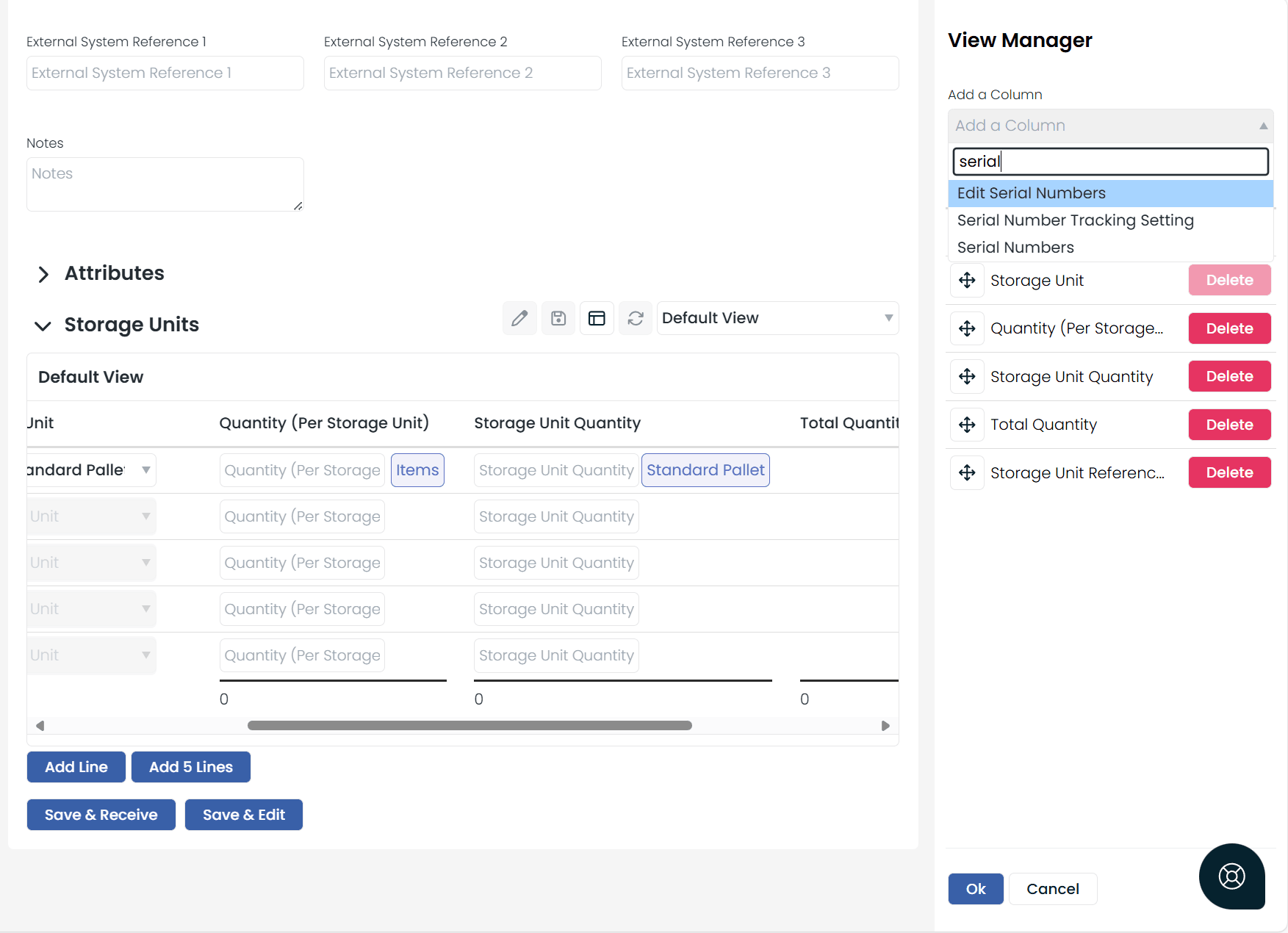
When Full Tracking is enabled, additional fields appear in the view manager during pre-receipt setup: **Serial Number Tracking Type**, **Serial Numbers**, and **Edit Serial Numbers**.
Serial number capture must be configured within your Handheld Device (HHD) flow before it can be used. Work with your administrator to ensure the serial number input screen is included in your goods in and goods out implementations.
You can adjust tracking settings anytime on the product screen under the Serial Numbers tab. Note that changes only apply to newly created products, not existing ones.
## Full tracking in action
When Full Tracking is enabled, additional fields appear in the view manager during pre-receipt setup: **Serial Number Tracking Type**, **Serial Numbers**, and **Edit Serial Numbers**.
 At the pre-receipt stage:
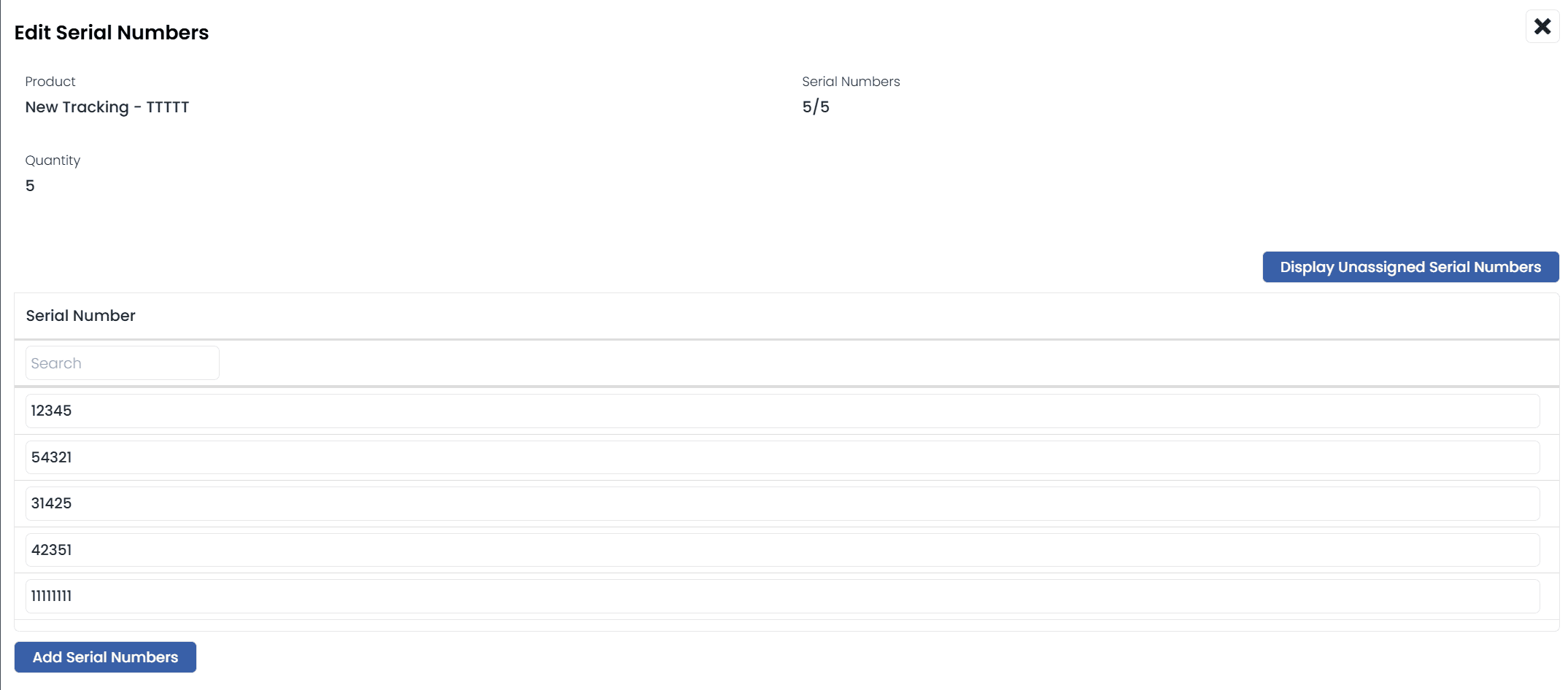
* You must enter all expected serial numbers or none at all.
* If all are entered, they cannot be changed after the pre-receipt is received.
* If none are entered, serial numbers must be captured at the receipt stage. Entering more or fewer than expected will adjust the confirmed quantity accordingly.
At the pre-receipt stage:
* You must enter all expected serial numbers or none at all.
* If all are entered, they cannot be changed after the pre-receipt is received.
* If none are entered, serial numbers must be captured at the receipt stage. Entering more or fewer than expected will adjust the confirmed quantity accordingly.
 ## Managing serial numbers
Once stock is received and stored, you can:
* View all serial numbers and their tracking types under the **Stock List** menu.
## Managing serial numbers
Once stock is received and stored, you can:
* View all serial numbers and their tracking types under the **Stock List** menu.
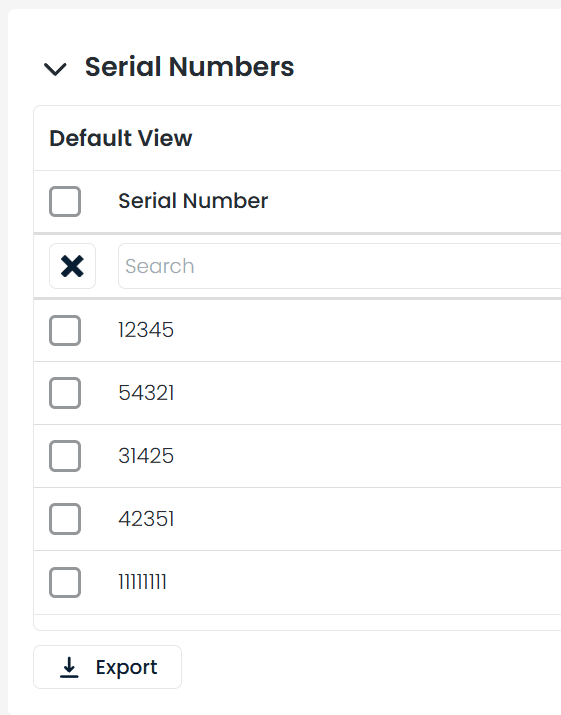
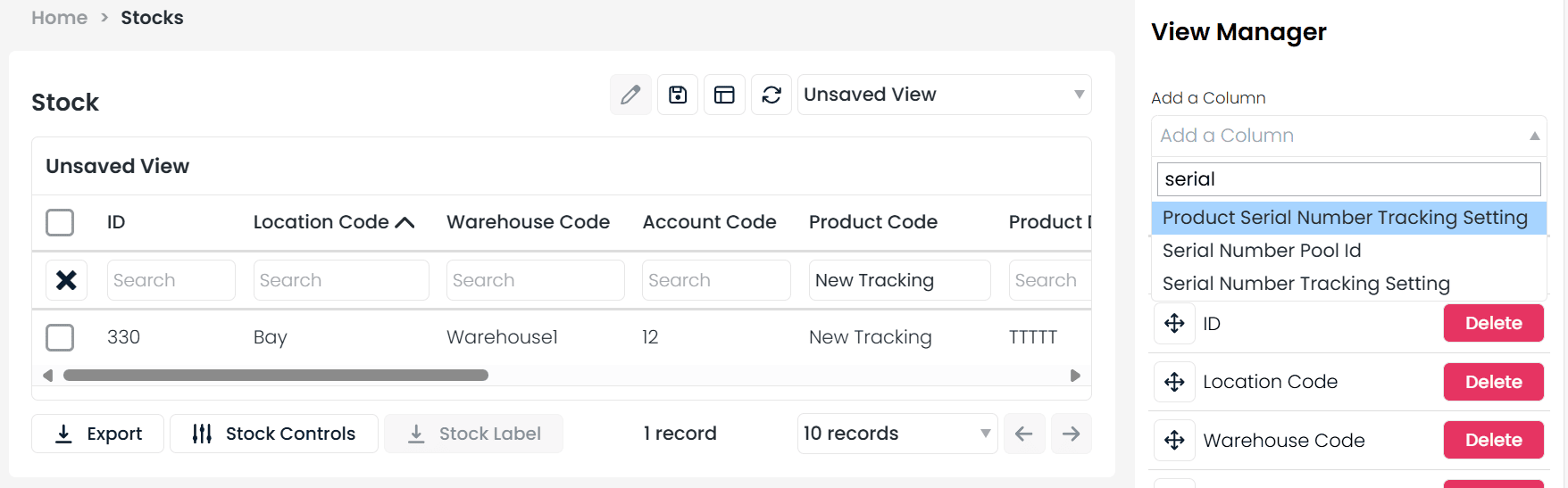 * Open a stock line to see a dedicated **Serial Numbers** tab.
 * Filter the **Transactions** menu using the "Transactions with Serial Numbers" view.
## Track during pick
For products set to **Track During Pick**, goods-in works as usual with no serial number capture. Serial numbers are required only when completing a pick task.
## HHD compatibility
Serial Number Tracking is currently supported in two HHD workflows:
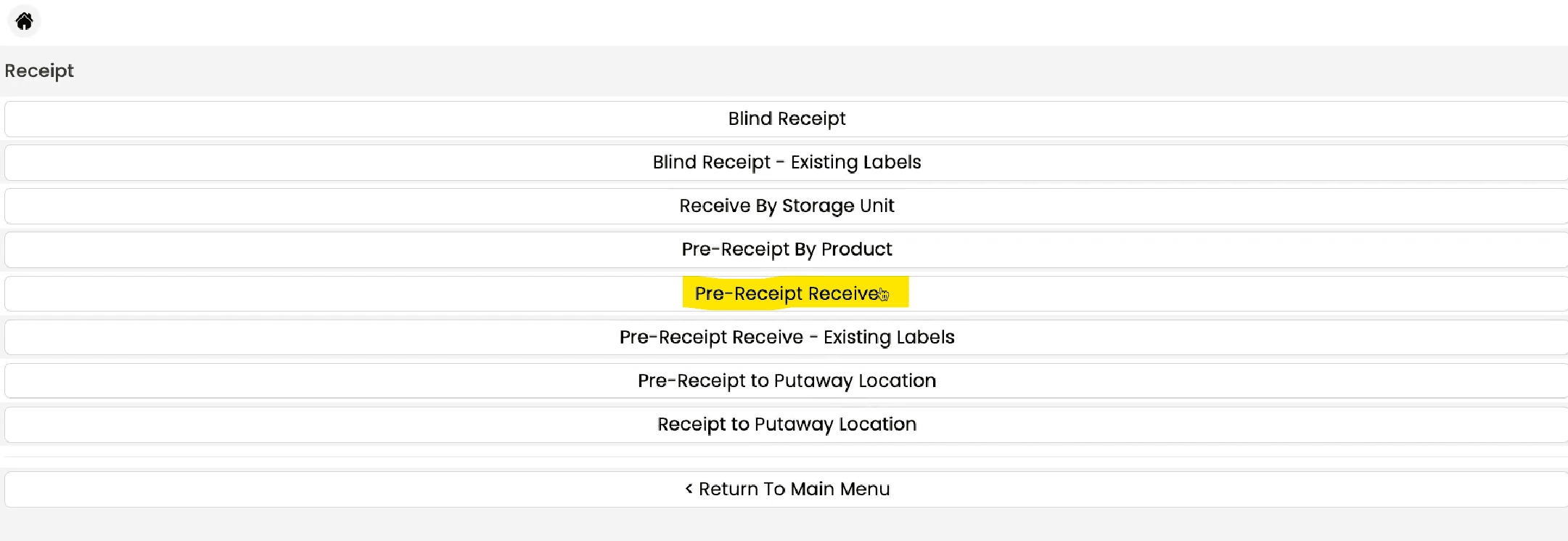
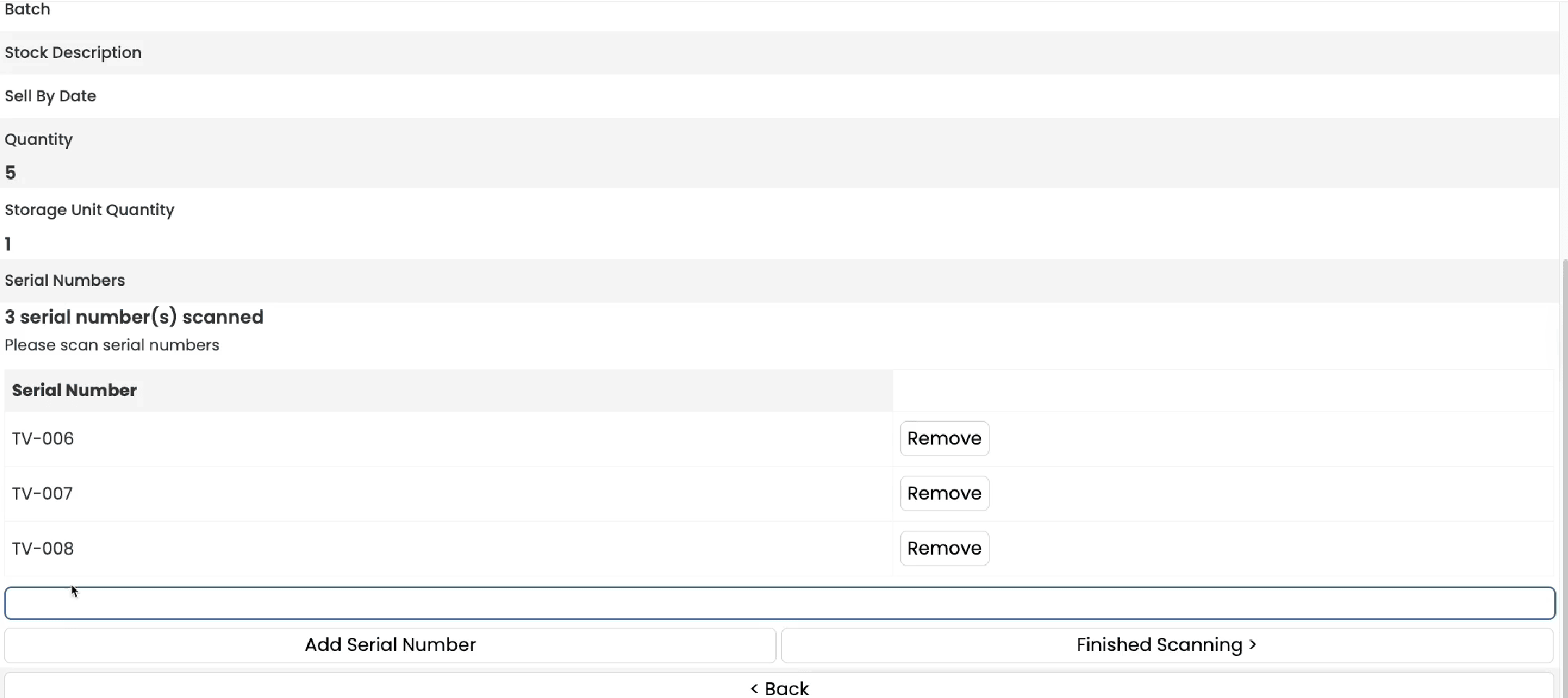
* **Pre-Receipt Receive**
* **Pick Tasks by Pick List**
* Filter the **Transactions** menu using the "Transactions with Serial Numbers" view.
## Track during pick
For products set to **Track During Pick**, goods-in works as usual with no serial number capture. Serial numbers are required only when completing a pick task.
## HHD compatibility
Serial Number Tracking is currently supported in two HHD workflows:
* **Pre-Receipt Receive**
* **Pick Tasks by Pick List**
 Serial number tracking provides end-to-end traceability, which is essential for recalls, warranty claims, and regulatory compliance.
The following processes currently do not support serial number tracking:
* Account transfers
* Warehouse transfers
* Adjustments
* Batch pick
* Tote picking
Serial number tracking provides end-to-end traceability, which is essential for recalls, warranty claims, and regulatory compliance.
The following processes currently do not support serial number tracking:
* Account transfers
* Warehouse transfers
* Adjustments
* Batch pick
* Tote picking