> ## Documentation Index
> Fetch the complete documentation index at: https://documentation.claruswms.com/llms.txt
> Use this file to discover all available pages before exploring further.
# Re-using Dispatched Storage Units
> Understand how dispatched storage units work and how to reuse references after dispatch.
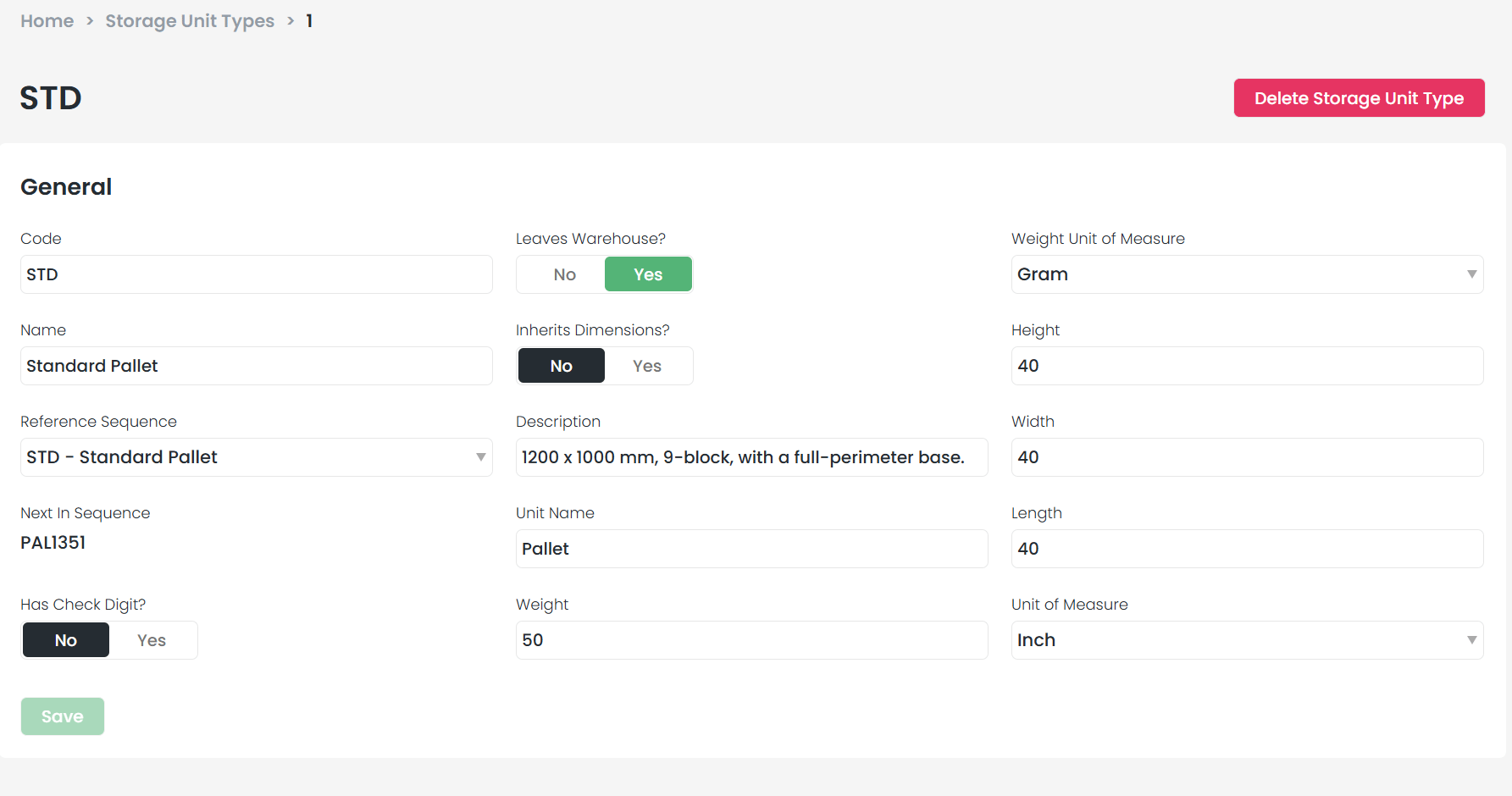
When a storage unit type is configured with **Leaves Warehouse?** set to **Yes**, the storage unit transitions to a "Dispatched" status upon departure from the warehouse. This helps track assets leaving your facility.
 ## What happens when a storage unit is dispatched?
* It moves to the **Dispatched** section on the Storage Units screen
* The specific record is retired and **cannot be reused** (however, the reference name can be reused by creating a new storage unit with the same reference)
## How to verify a unit's status
Go to **Settings > Storage Units**.
Search for your **Storage Unit Reference**.
If it appears in the default view, it is still active. If it does not appear, scroll to the **In Warehouse** filter at the bottom and change it to **Dispatched**.
## What happens when a storage unit is dispatched?
* It moves to the **Dispatched** section on the Storage Units screen
* The specific record is retired and **cannot be reused** (however, the reference name can be reused by creating a new storage unit with the same reference)
## How to verify a unit's status
Go to **Settings > Storage Units**.
Search for your **Storage Unit Reference**.
If it appears in the default view, it is still active. If it does not appear, scroll to the **In Warehouse** filter at the bottom and change it to **Dispatched**.
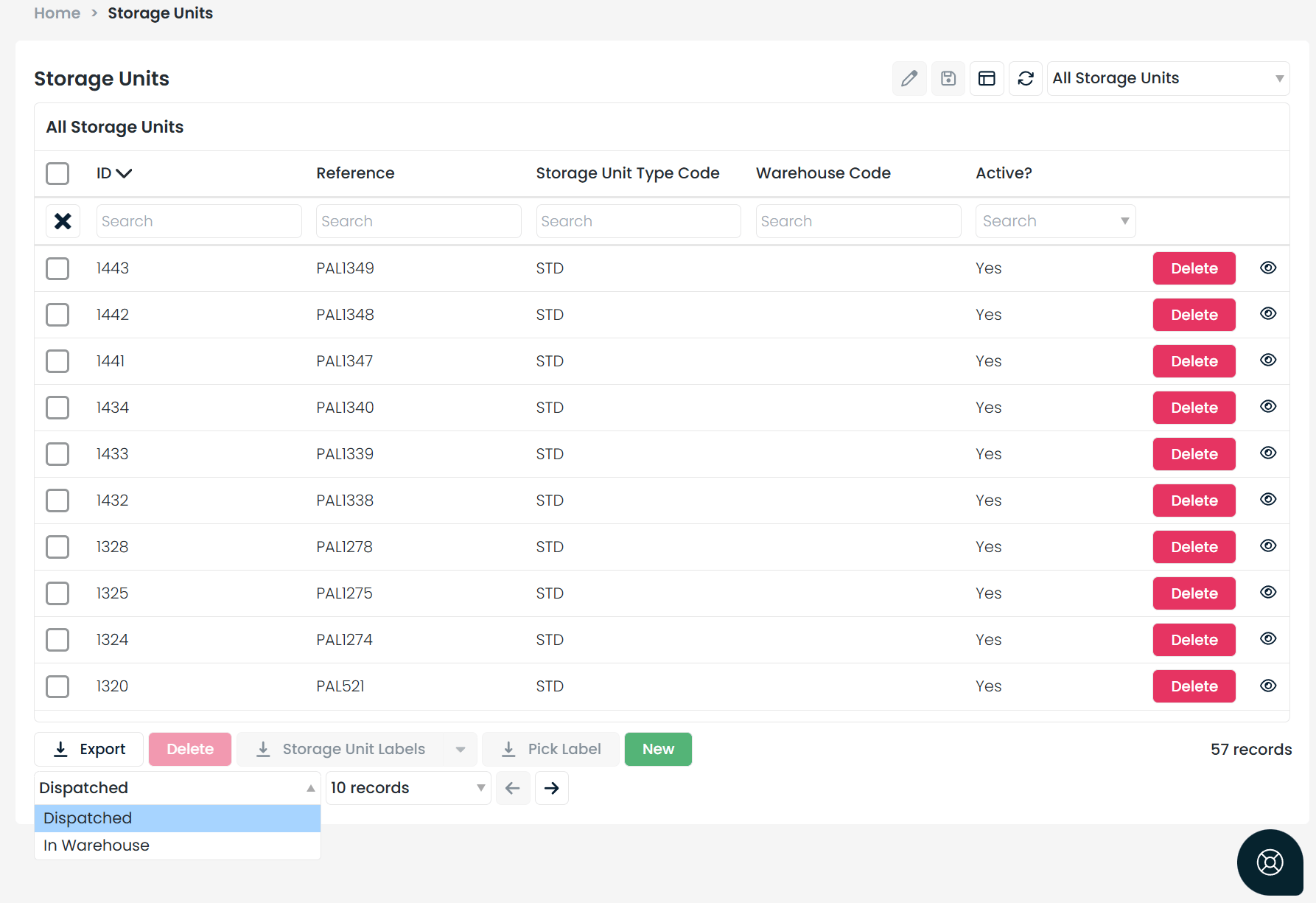 If the unit appears under the Dispatched filter, it is officially locked and out of circulation.
## Workarounds for reusing references
If you need to continue using a dispatched reference, you have two options:
| Option | Action | Impact |
| ------------------------ | --------------------------------------------------------------- | ------------------------------------------------------------------------------------------------------------- |
| **Manual Reuse** | Create a **new** storage unit using the same reference name | Keeps your naming convention while maintaining a clean history for the old unit |
| **Configuration Change** | Set the "Leaves Warehouse?" toggle to **No** for that unit type | Prevents units from entering Dispatched status, but **may disrupt** shipments or external crossdock workflows |
If the unit appears under the Dispatched filter, it is officially locked and out of circulation.
## Workarounds for reusing references
If you need to continue using a dispatched reference, you have two options:
| Option | Action | Impact |
| ------------------------ | --------------------------------------------------------------- | ------------------------------------------------------------------------------------------------------------- |
| **Manual Reuse** | Create a **new** storage unit using the same reference name | Keeps your naming convention while maintaining a clean history for the old unit |
| **Configuration Change** | Set the "Leaves Warehouse?" toggle to **No** for that unit type | Prevents units from entering Dispatched status, but **may disrupt** shipments or external crossdock workflows |