> ## Documentation Index
> Fetch the complete documentation index at: https://documentation.claruswms.com/llms.txt
> Use this file to discover all available pages before exploring further.
# MFA at Login
> What to do when Clarus WMS asks you to set up multi-factor authentication while signing in.
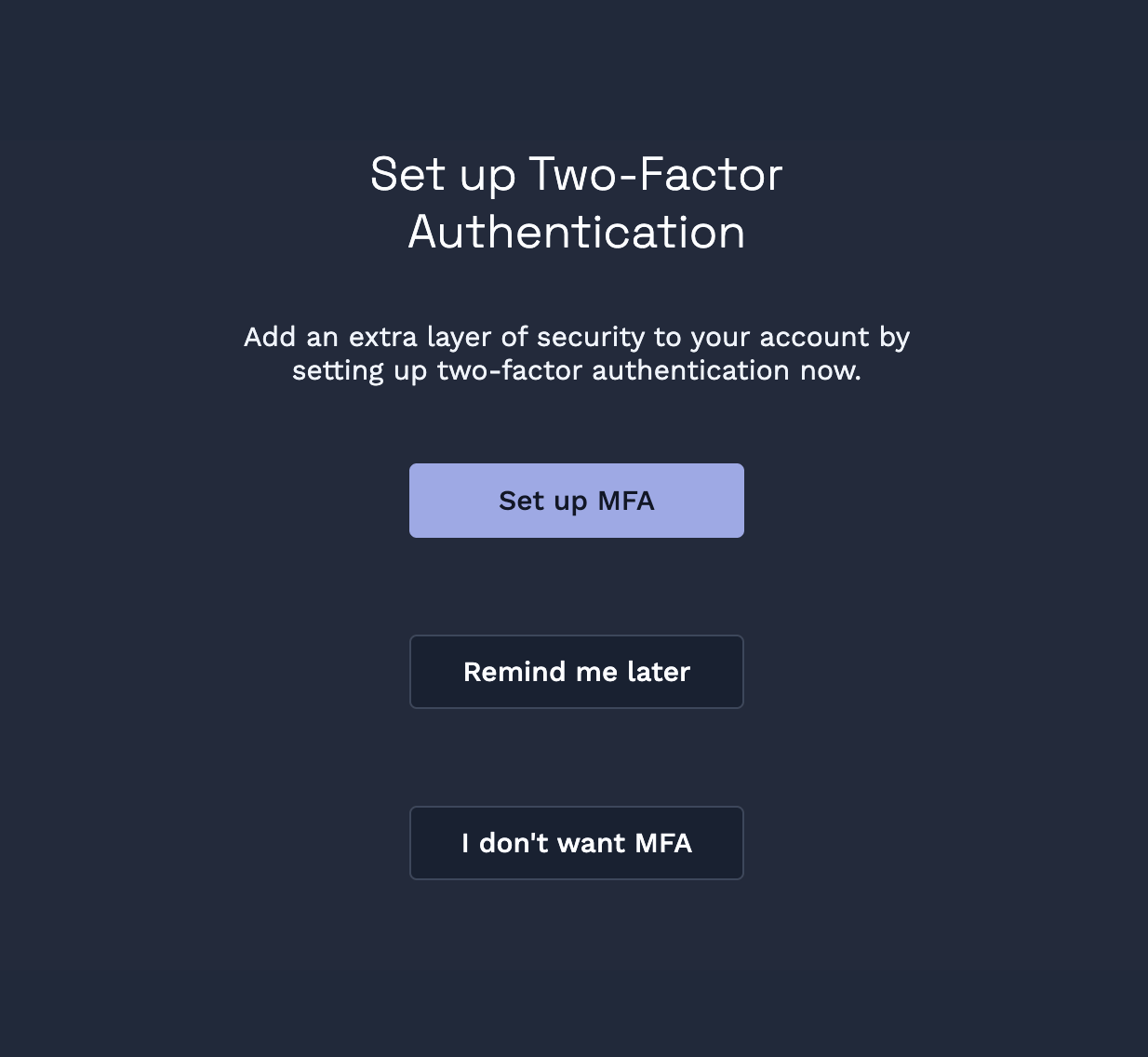
If your account doesn't have MFA set up, you'll see a short prompt at sign-in inviting you to add it. This page explains what you're seeing and what each option does.
 **Gradual rollout:** Multi-factor authentication is being rolled out gradually, organisation by organisation. You may not see it on your account yet — that's expected. Once it's available, you'll be prompted on your next sign-in.
## Why you're seeing this prompt
Clarus WMS uses multi-factor authentication (MFA) to keep accounts safer. The prompt appears because your account doesn't have MFA set up yet — Clarus WMS is inviting you to add a second sign-in step using an authenticator app on your phone.
This isn't a security alert — there's nothing wrong with your account. It's a one-time setup prompt.
## Your options
The prompt gives you three choices:
The recommended option. You'll be guided through a quick QR-code setup using your authenticator app. Allow about two minutes. See [Set Up MFA](/knowledgebase/security/set-up-mfa) for full instructions.
Skips setup for now. You'll be asked again the next time you sign in. Choose this if you don't have your phone or an authenticator app to hand right now.
Dismisses the prompt and stops Clarus WMS from asking you again at sign-in. MFA stays off on your account.
This is a permanent dismissal of the sign-in prompt — you won't be re-asked the next time you log in. If you change your mind later, the only way to set up MFA is from [Enable MFA in Security Settings](/knowledgebase/security/enable-mfa).
## What we recommend
Choose **Set up MFA** if you have a couple of minutes. It's the safest option, and you only need to do it once per account.
## I picked "Remind me later" — what now?
Nothing more to do today. The next time you sign in, you'll see the prompt again. You can also enable MFA at any time from your Security Settings — see [Enable MFA in Security Settings](/knowledgebase/security/enable-mfa).
## I picked "I don't want MFA" and changed my mind
Clarus WMS won't prompt you at sign-in again, but you can still turn MFA on yourself. Open [Enable MFA in Security Settings](/knowledgebase/security/enable-mfa) — that's the only way to set up MFA from this point on.
If the Security Settings option isn't visible on your account, MFA may not be available for your organisation yet. Try again later or contact your administrator.
**Gradual rollout:** Multi-factor authentication is being rolled out gradually, organisation by organisation. You may not see it on your account yet — that's expected. Once it's available, you'll be prompted on your next sign-in.
## Why you're seeing this prompt
Clarus WMS uses multi-factor authentication (MFA) to keep accounts safer. The prompt appears because your account doesn't have MFA set up yet — Clarus WMS is inviting you to add a second sign-in step using an authenticator app on your phone.
This isn't a security alert — there's nothing wrong with your account. It's a one-time setup prompt.
## Your options
The prompt gives you three choices:
The recommended option. You'll be guided through a quick QR-code setup using your authenticator app. Allow about two minutes. See [Set Up MFA](/knowledgebase/security/set-up-mfa) for full instructions.
Skips setup for now. You'll be asked again the next time you sign in. Choose this if you don't have your phone or an authenticator app to hand right now.
Dismisses the prompt and stops Clarus WMS from asking you again at sign-in. MFA stays off on your account.
This is a permanent dismissal of the sign-in prompt — you won't be re-asked the next time you log in. If you change your mind later, the only way to set up MFA is from [Enable MFA in Security Settings](/knowledgebase/security/enable-mfa).
## What we recommend
Choose **Set up MFA** if you have a couple of minutes. It's the safest option, and you only need to do it once per account.
## I picked "Remind me later" — what now?
Nothing more to do today. The next time you sign in, you'll see the prompt again. You can also enable MFA at any time from your Security Settings — see [Enable MFA in Security Settings](/knowledgebase/security/enable-mfa).
## I picked "I don't want MFA" and changed my mind
Clarus WMS won't prompt you at sign-in again, but you can still turn MFA on yourself. Open [Enable MFA in Security Settings](/knowledgebase/security/enable-mfa) — that's the only way to set up MFA from this point on.
If the Security Settings option isn't visible on your account, MFA may not be available for your organisation yet. Try again later or contact your administrator.