> ## Documentation Index
> Fetch the complete documentation index at: https://documentation.claruswms.com/llms.txt
> Use this file to discover all available pages before exploring further.
# Streamlined User Creation for Handheld Devices
> How to create HHD (Handheld Device) users without requiring a unique email address, speeding up warehouse staff onboarding.
## Overview
You can create **Handheld Device (HHD) users** without requiring a unique email address, making it faster to onboard warehouse staff. The process has two phases: creating the system user, then configuring their HHD login.
## Video walkthrough
## Phase 1: Create the system user
Go to **Settings** > **Users** > **Users** from the homepage.
Click **New** to open the user creation form.
Fill in the required fields: **Name**, **Language**, **Role**, etc.
Set the **User Type** to **Handheld Devices**. This is the crucial step that bypasses the email verification requirement.
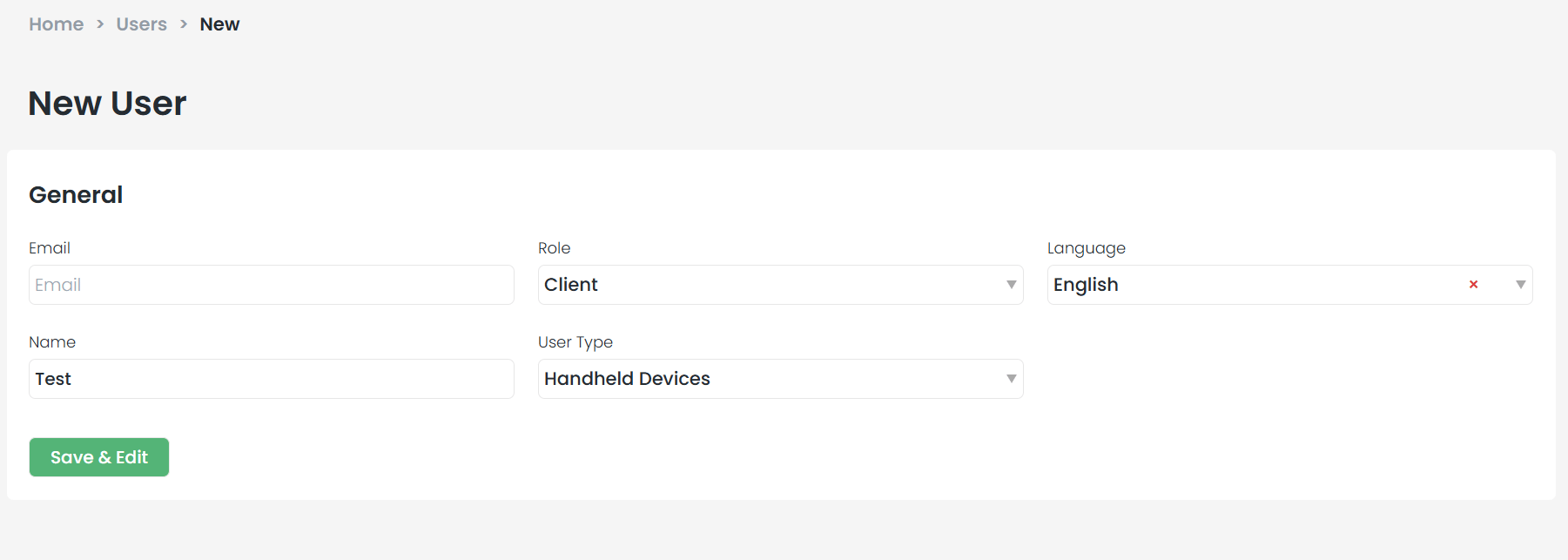 Click **Save** to create the system user.
## Phase 2: Configure the HHD login
Once the system user is saved, set up their handheld credentials:
Navigate to **Handheld Devices** > **HHD Users**.
Click **New** to create a login.
Fill in the **Username**, **Password**, and assigned **Warehouse**.
Click **Save** to create the system user.
## Phase 2: Configure the HHD login
Once the system user is saved, set up their handheld credentials:
Navigate to **Handheld Devices** > **HHD Users**.
Click **New** to create a login.
Fill in the **Username**, **Password**, and assigned **Warehouse**.
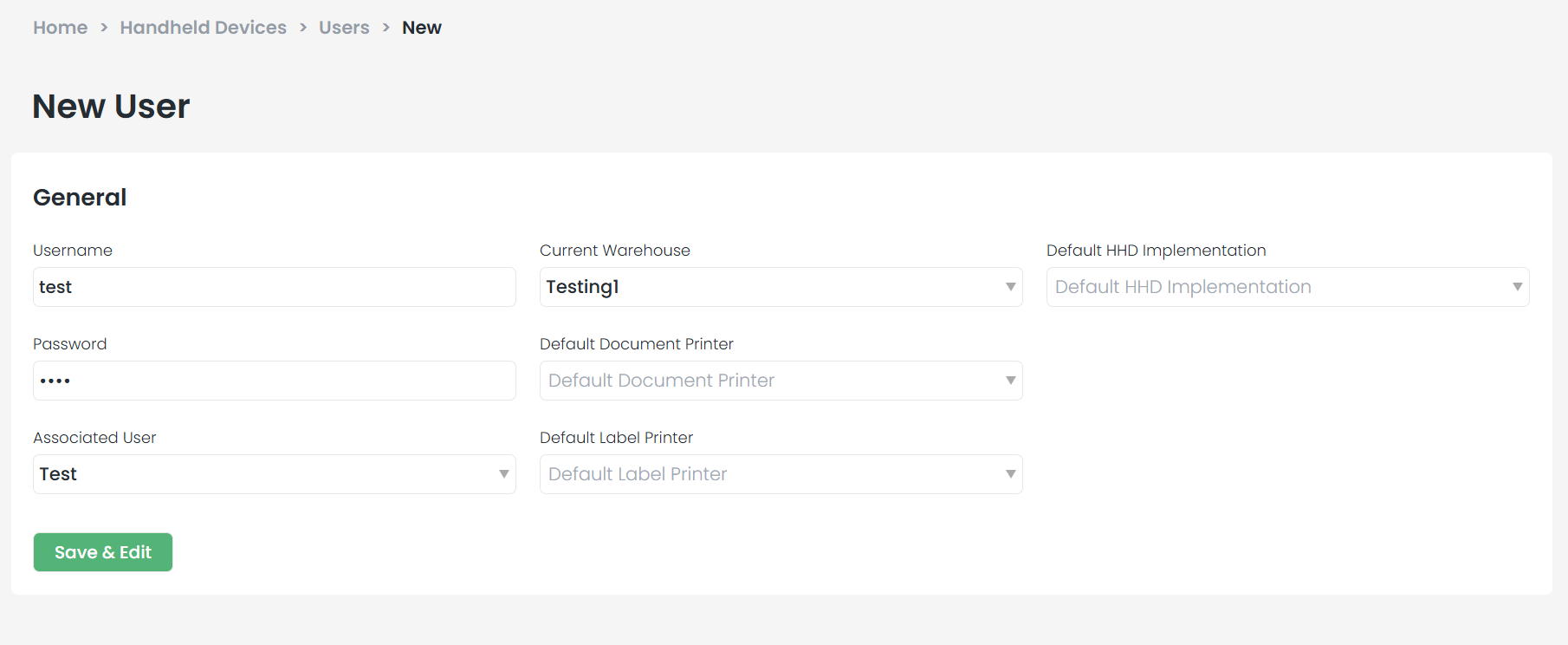 Optionally select preferred **Printers** and **Implementation** settings.
In the **Associated User** field, select the user you created in Phase 1.
Click **Save** to complete the setup.
By linking the HHD profile to a "Handheld Device" user type, you bypass the email verification step -- saving time during high-volume onboarding.
Optionally select preferred **Printers** and **Implementation** settings.
In the **Associated User** field, select the user you created in Phase 1.
Click **Save** to complete the setup.
By linking the HHD profile to a "Handheld Device" user type, you bypass the email verification step -- saving time during high-volume onboarding.