

How it works
- A pick task is generated. Clarus first tries to fulfil it from the product’s continuous pickface locations.
- Stock is checked. If a continuous pickface has stock that meets the criteria (including shelf-life rules), the pick proceeds normally. If not, Clarus checks whether a demand replenishment location is enabled on the product.
- Demand replenishment is triggered. The pick task goes On Hold while Clarus creates a replenishment task to move a full pallet of compliant stock into an empty demand pickface. If no empty demand pickface is available, the replenishment task is placed on hold too, until a location frees up.
- The pick task is released. Once the replenishment is complete, Clarus releases the pick task and it proceeds as normal.
Demand replenishment hard-allocates stock — both the replenishment and the pick task are tied to the specific stock identified at the moment the tasks are created. This guarantees the right batch is picked.
Setting up a demand pickface
1
Navigate to the product
From the left-hand menu, click Products and select the product you want to configure.
2
Assign locations
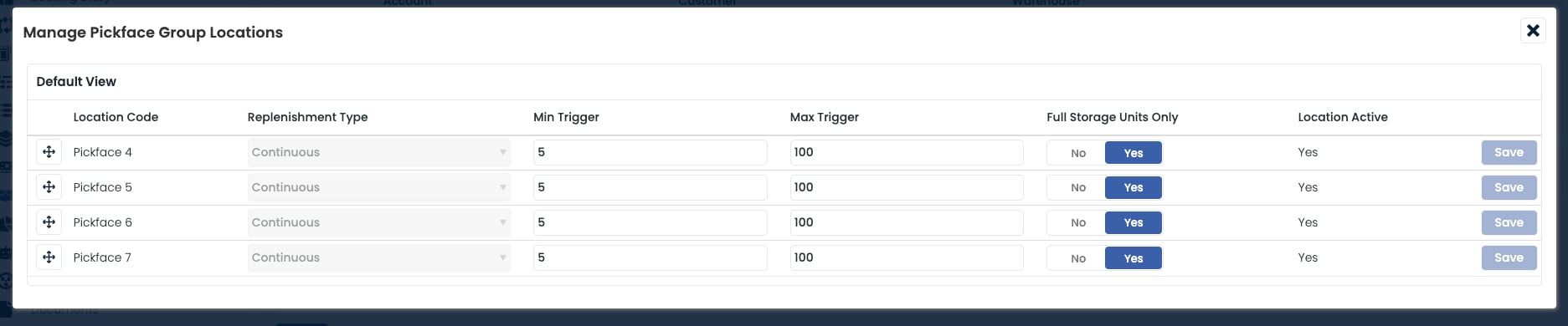
Open the Pickface panel and click New to add a pickface location. You can also assign a Location Group to manage multiple pickfaces in one go — every location in the group must have Is Pickface set to Yes.
3
Select Demand Replenishment
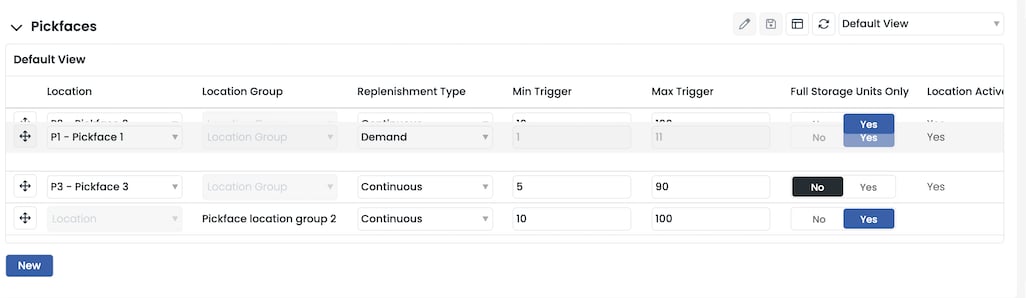
Choose Demand Replenishment as the strategy. Minimum and maximum triggers are not used — Clarus always moves a full pallet into the location when the strategy fires.
4
Prioritise the locations
Use the arrow controls on the left of each row to reorder the demand locations. The order determines which empty demand pickface is used first.
Combining with continuous replenishment
Demand is most often used as a secondary location alongside a Continuous primary. See Combining strategies for the patterns and a worked example.Frequently asked questions
Why is my pick task on hold?
Why is my pick task on hold?
Either no pickface currently holds stock that meets the pick’s requirements, or the demand pickface is not yet empty so the replenishment cannot fire. See Understanding On Hold picks for the full diagnosis.
What if my demand replenishment pickface is not empty?
What if my demand replenishment pickface is not empty?
The pick task and its associated replenishment task both stay on hold until the demand location is empty (quantity reaches 0). Once empty, the replenishment fires and the pick is released.
Do demand pickfaces hard-allocate stock?
Do demand pickfaces hard-allocate stock?
Yes. A full pallet of specific stock is reserved for both the replenishment and the pick. This is different from continuous pickfaces, which use soft allocation.
Can I cancel a demand replenishment task?
Can I cancel a demand replenishment task?
Yes. A user can cancel an available replenishment task at any time:
- Go to the Tasks page.
- Add the Cancel button to the data grid if it is not already shown.
- Locate the available replenishment task and click Cancel.
Can I leave Maximum Shelf Life Days blank?
Can I leave Maximum Shelf Life Days blank?
Yes. If only the minimum is set, Clarus picks any stock with a shelf life equal to or greater than the minimum. For example, with Minimum = 5 and Maximum = blank, Clarus looks for stock with 5 or more days remaining.
Where can I see the status of my pick and replenishment tasks?
Where can I see the status of my pick and replenishment tasks?
- Picking List: add the Status column to the data grid to see whether a pick task is On Hold.
- Tasks: locate the task in the Tasks data grid and check the Status column. Hovering over the status reveals the reason for any hold.