

Serial number tracking overview
Serial number tracking lets you manage, trace, and control serial numbers across your products. You can capture serial numbers during goods in (receiving) and goods out (picking/dispatch), giving you full traceability from receipt to shipment.Getting started
1
Enable serial number tracking on a product
Navigate to Products and select New to create a product.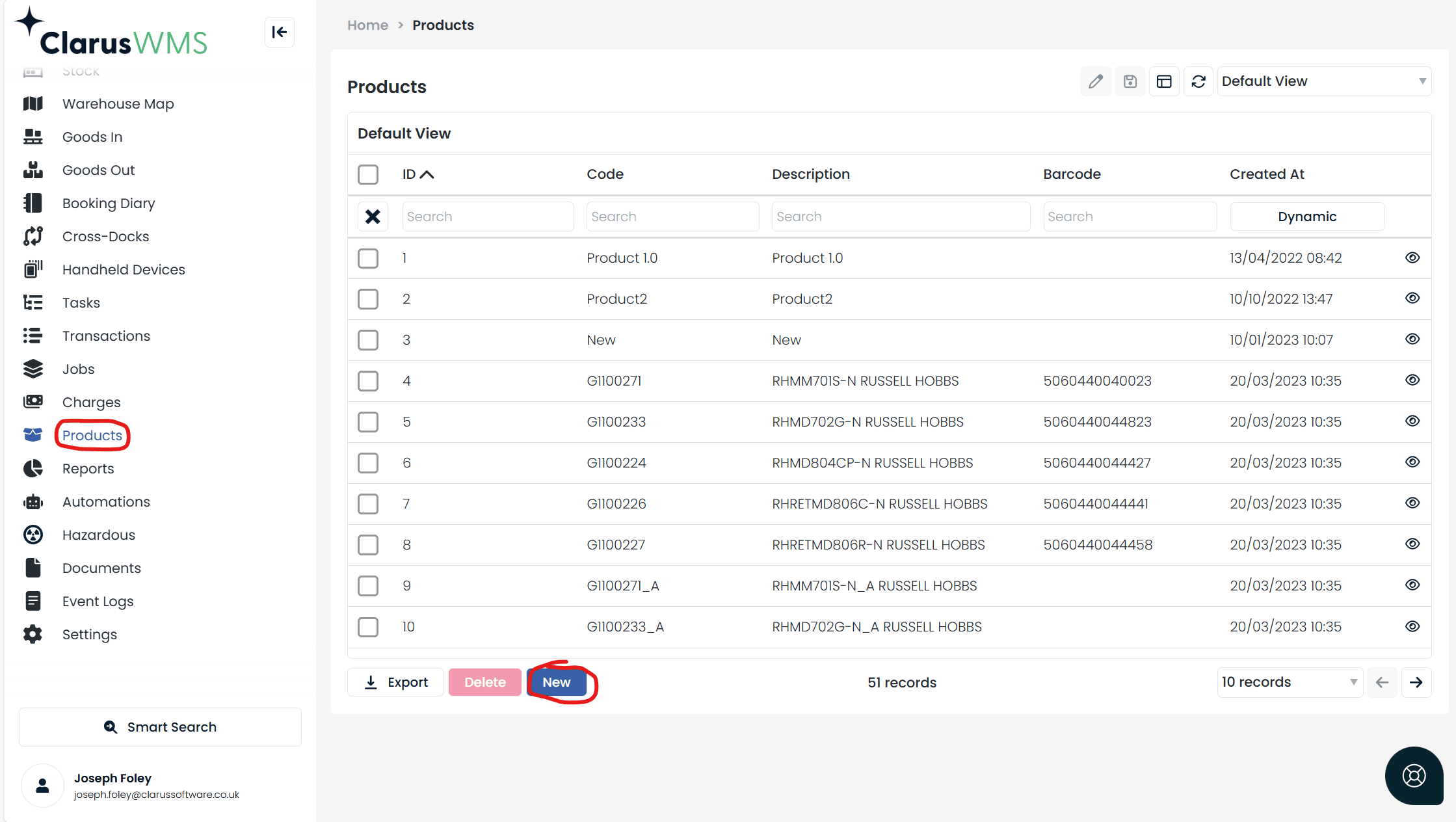
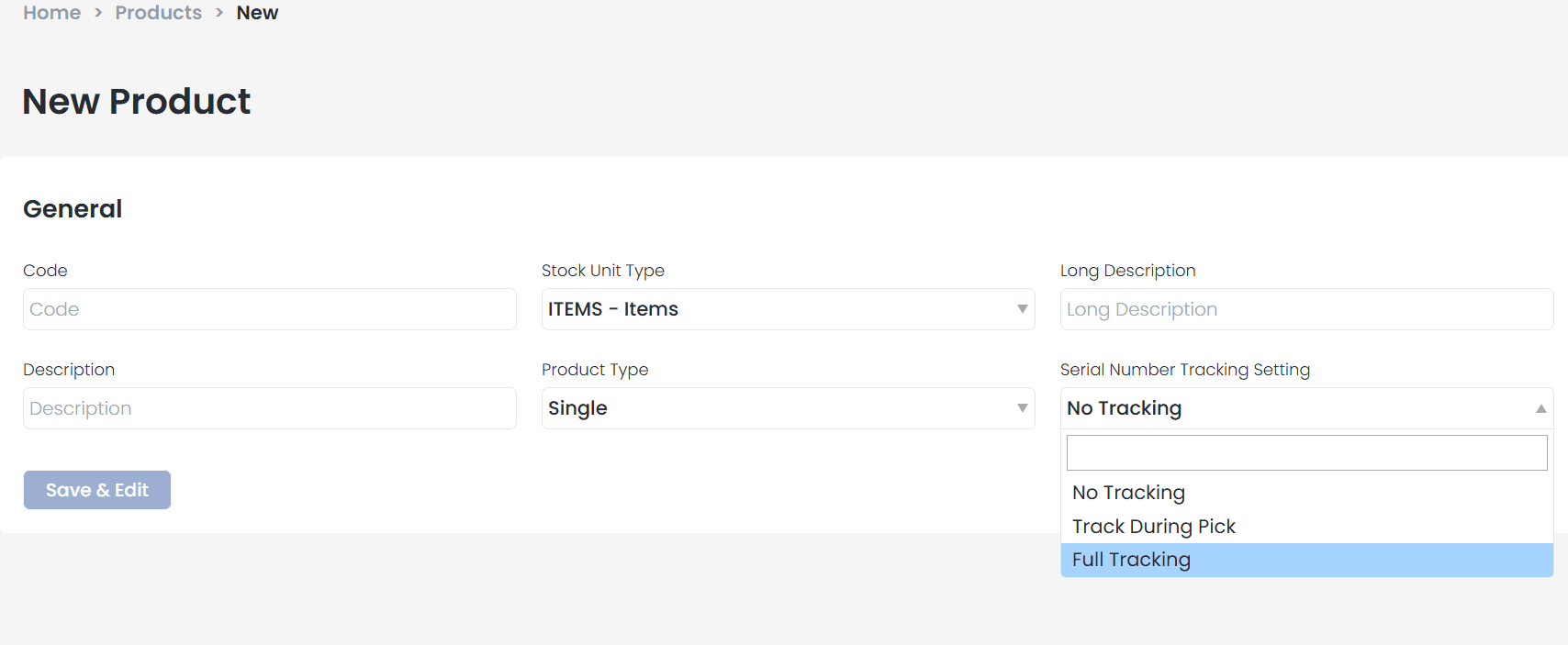
- No Tracking — Serial numbers are not required at any stage.
- Track During Pick — Serial numbers are required only during goods-out processing. Ideal for high-value items like electronics.
- Full Tracking — Serial numbers are required at both goods-in and goods-out stages. Ideal when full supplier visibility is needed.
2
Configure your HHD flow
Serial number capture must be configured within your Handheld Device (HHD) flow before it can be used. Work with your administrator to ensure the serial number input screen is included in your goods in and goods out implementations.
Full tracking in action
When Full Tracking is enabled, additional fields appear in the view manager during pre-receipt setup: Serial Number Tracking Type, Serial Numbers, and Edit Serial Numbers.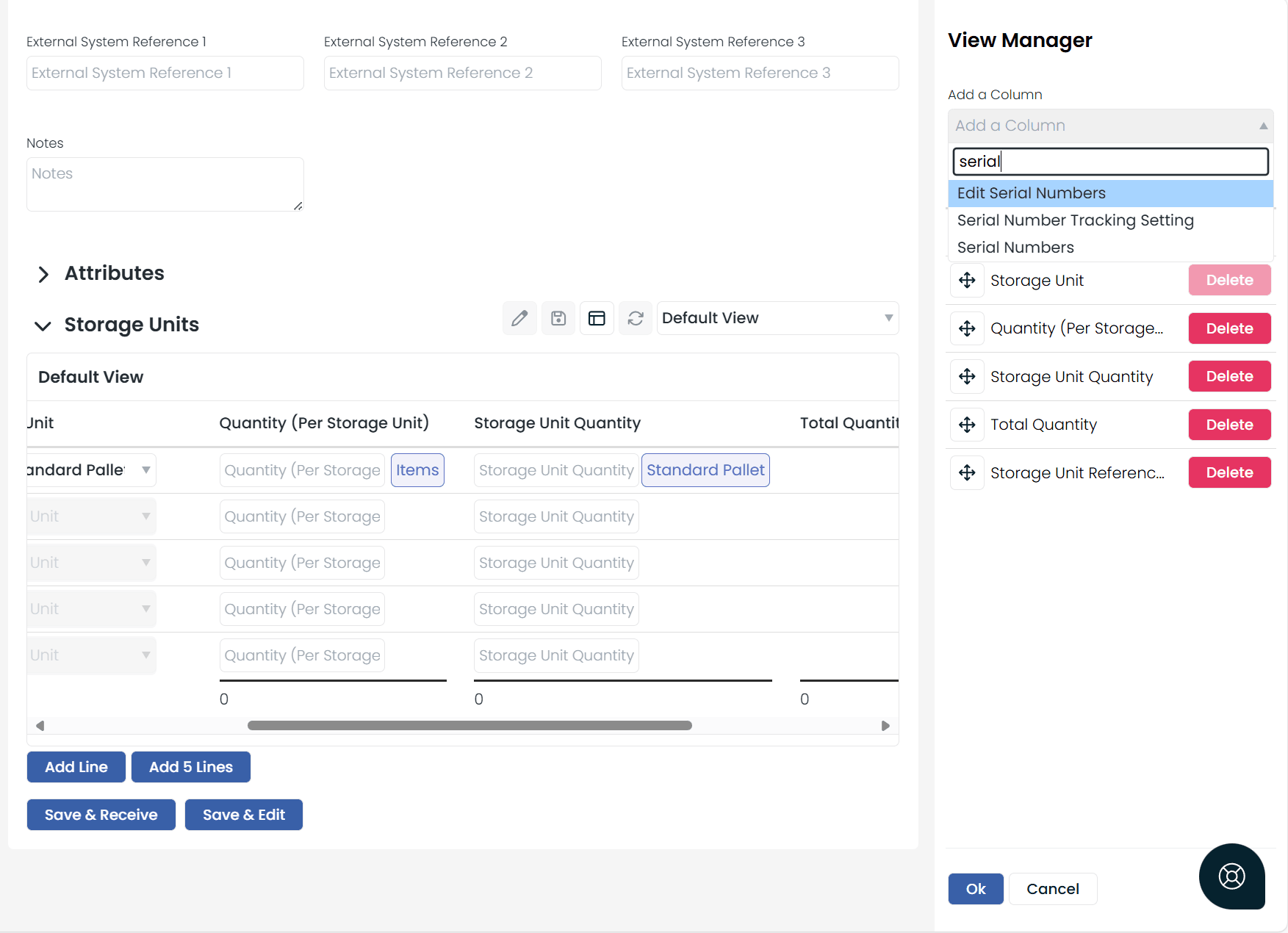
- You must enter all expected serial numbers or none at all.
- If all are entered, they cannot be changed after the pre-receipt is received.
- If none are entered, serial numbers must be captured at the receipt stage. Entering more or fewer than expected will adjust the confirmed quantity accordingly.
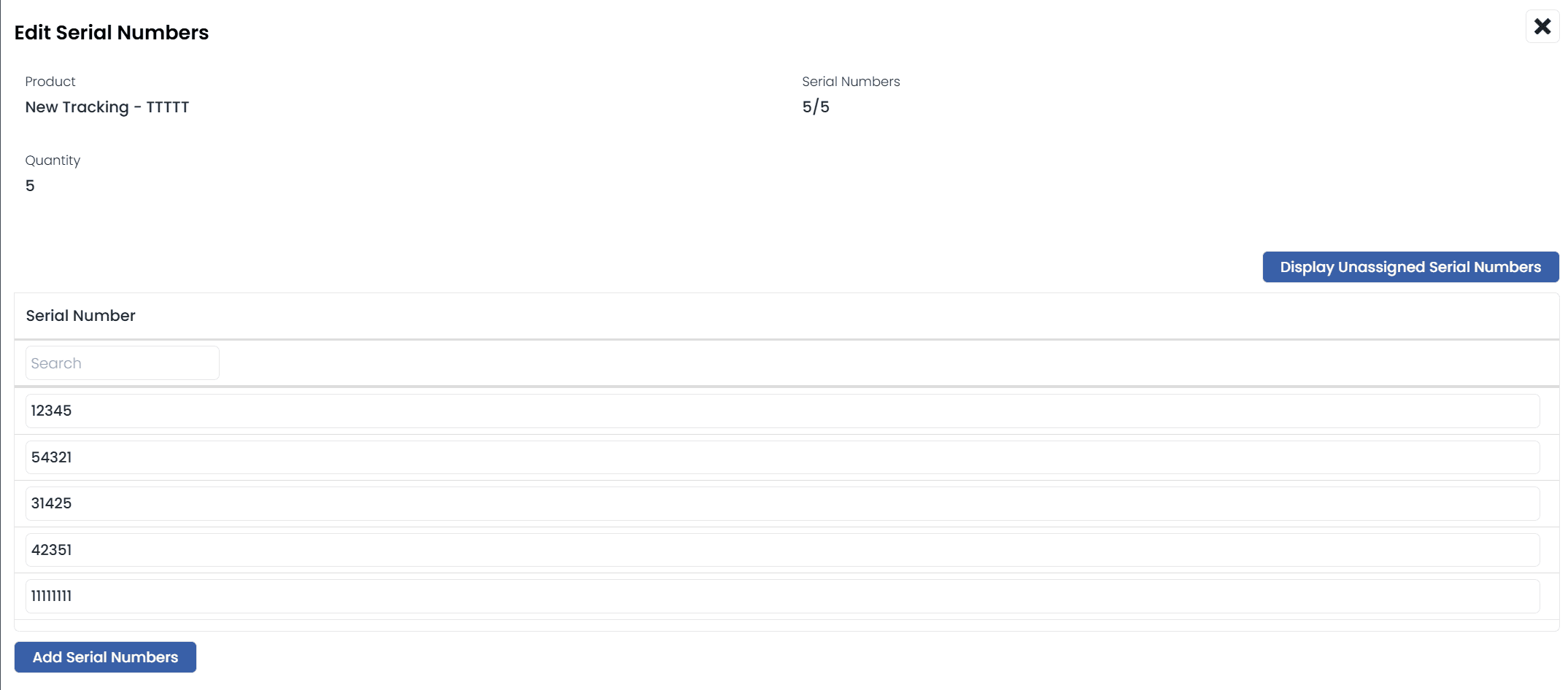

Managing serial numbers
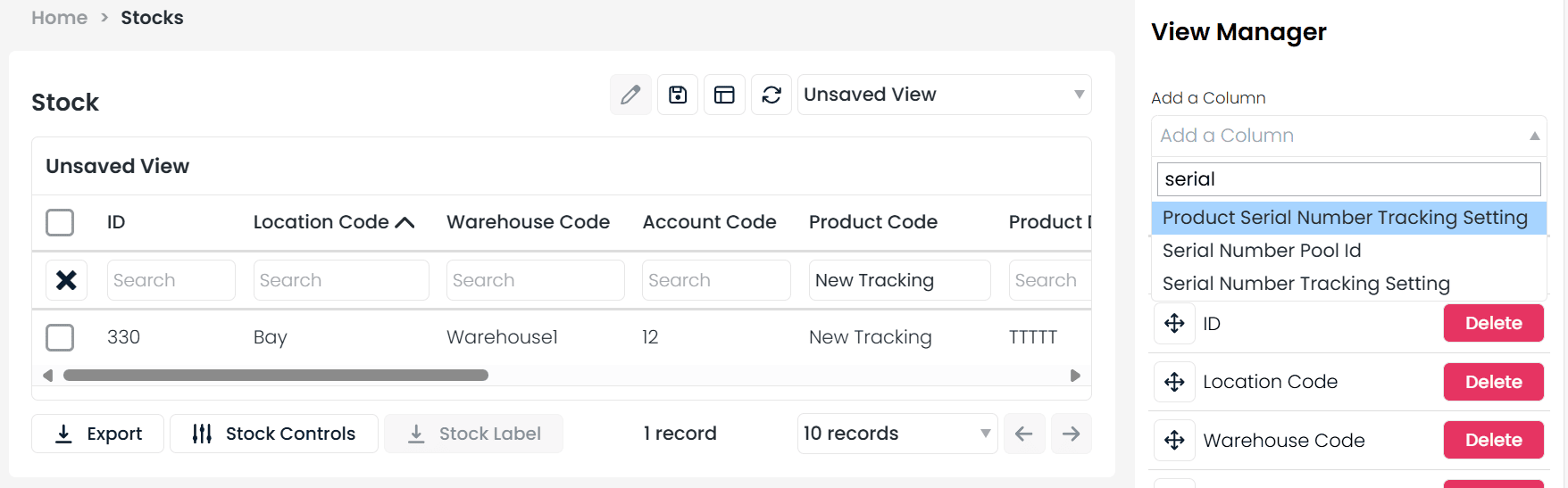
Once stock is received and stored, you can:- View all serial numbers and their tracking types under the Stock List menu.
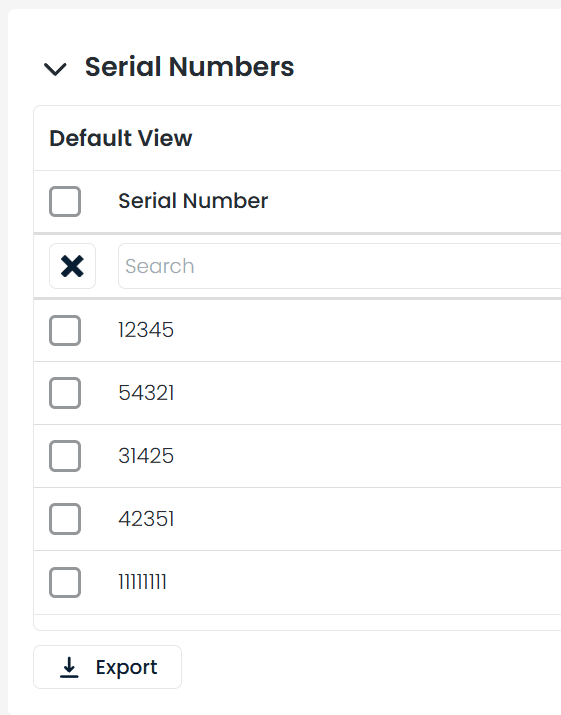
- Open a stock line to see a dedicated Serial Numbers tab.
- Filter the Transactions menu using the “Transactions with Serial Numbers” view.
Track during pick
For products set to Track During Pick, goods-in works as usual with no serial number capture. Serial numbers are required only when completing a pick task.HHD compatibility
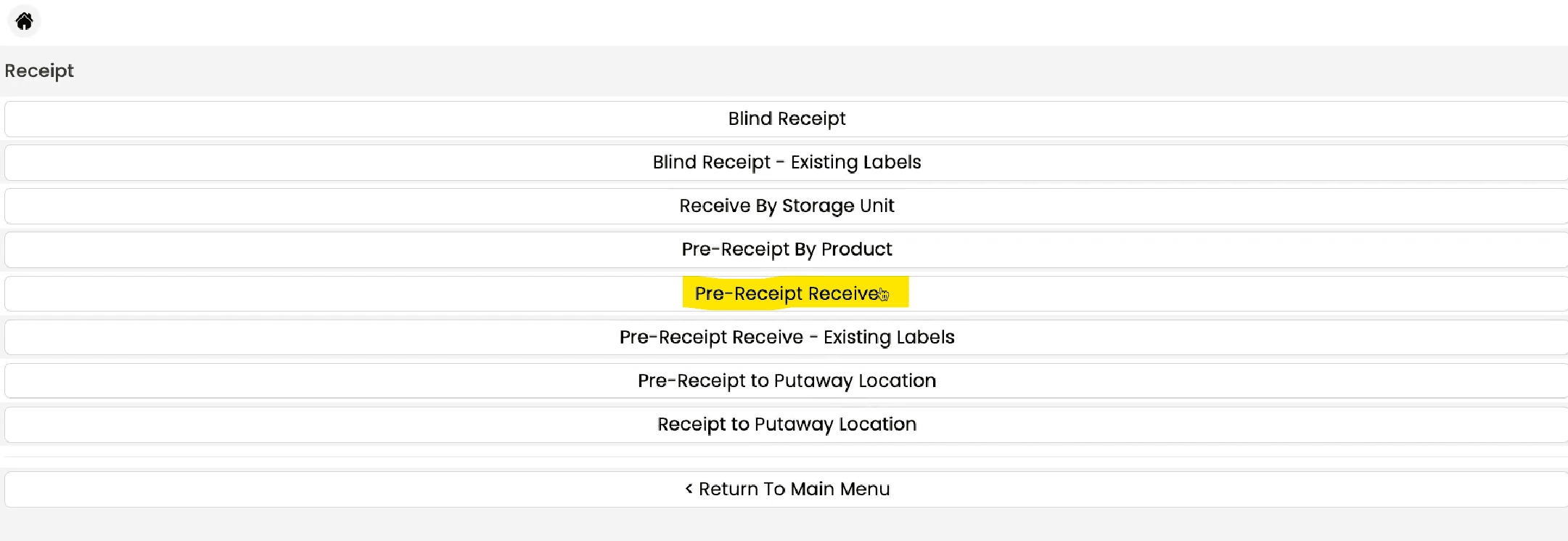
Serial Number Tracking is currently supported in two HHD workflows:- Pre-Receipt Receive
- Pick Tasks by Pick List
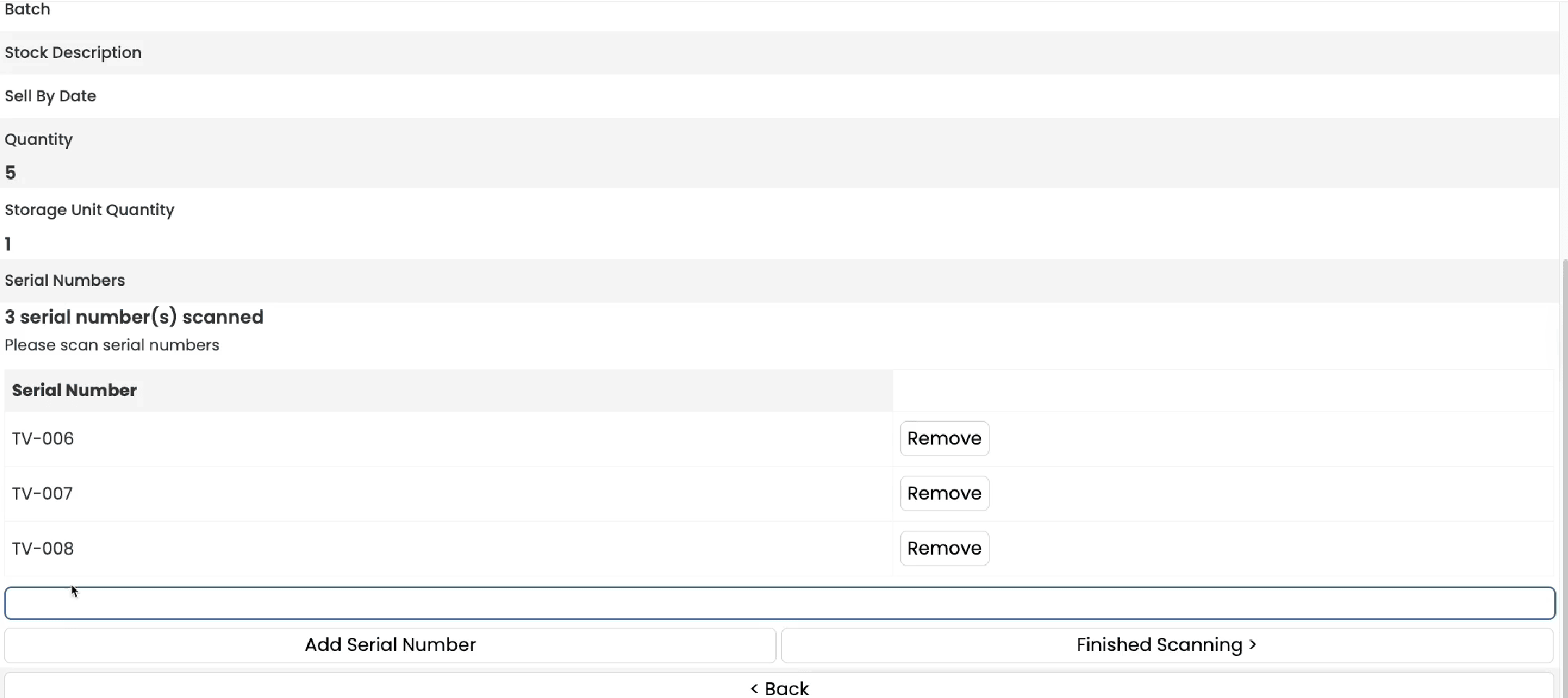
Serial number tracking provides end-to-end traceability, which is essential for recalls, warranty claims, and regulatory compliance.
What's not covered yet?
What's not covered yet?
The following processes currently do not support serial number tracking:
- Account transfers
- Warehouse transfers
- Adjustments
- Batch pick
- Tote picking